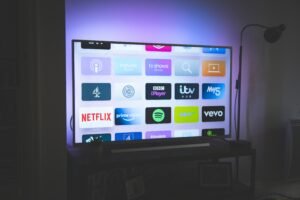
We provide 20,000+ live TV channels worldwide, along with a large VOD library including movies, TV series, sports events, and international channels. Coverage includes the US, UK, Canada, Europe, Asia, and more.
What devices are supported?
Our IPTV subscription is compatible with most major devices, including:
Android TV / TV Box
Amazon Firestick
Smart TVs
Windows / Mac computers
Android & iOS smartphones and tablets
How do I start after purchasing a subscription?
After successful payment, you will receive login credentials or M3U/Xtream Codes via email. Simply follow our setup guide and enter the details into your IPTV player to start streaming.
What payment methods do you accept?
We support multiple secure payment methods (as shown on the checkout page). All transactions are encrypted to ensure your payment security.
What streaming quality can I expect? Is it buffer-free?
We support SD / HD / FHD / 4K streaming quality. With 99.99% server uptime and Anti-Freeze technology, you can enjoy smooth streaming under a stable internet connection.
Do you offer refunds or free trials?
Selected plans include a refund guarantee (such as a 7-day money-back policy, depending on the plan). Please contact our support team within the eligible period if you are not satisfied.
Can I use one subscription on multiple devices?
Each subscription typically supports one device at a time. For multiple simultaneous connections, we recommend purchasing a multi-connection plan.
What should I do if a channel is not working?
Please check your internet connection and restart your device or app. If the issue persists, contact our 24/7 live support team for assistance.